Registering with myHelena
Registration is a simple process designed to get you up-and-running with myHelena very quickly. Your Helena distributor or representative should have pre-configured some settings for you, and provided you with the necessary details as follows.
Before you begin
You should have received two unique codes from your Helena representative:
- Access Key — six digits of mixed letters and numbers
- Authorisation Code — a longer set of letters and numbers containing three dashes
Ensure you have these, and contact your Helena representative if necessary, before proceeding.
Registering
Firstly, visit www.myhelena.co.uk. The page should look something like this:
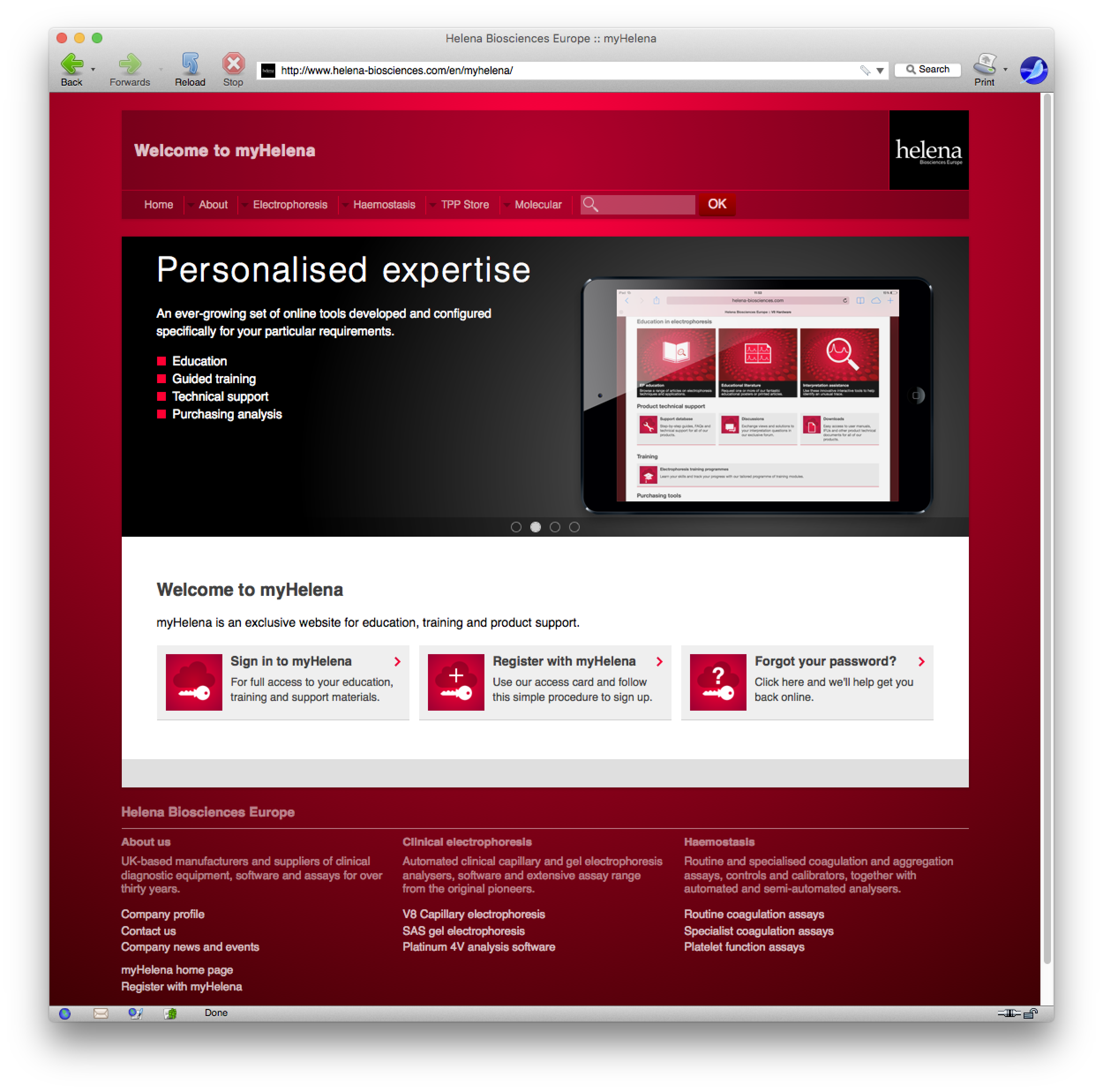
Click the second link — Register with myHelena. A new page containing the registration form will open:
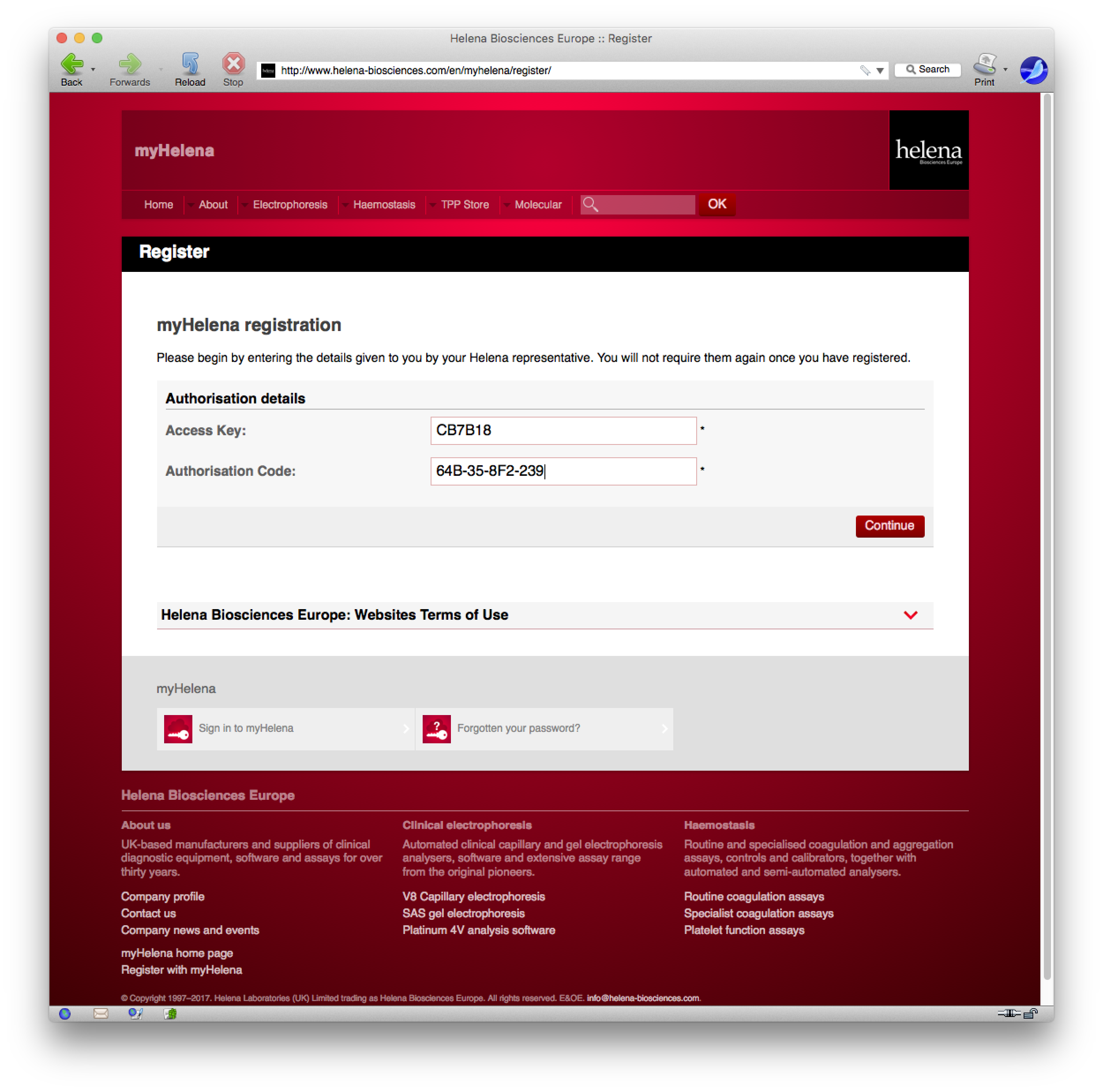
Enter the Access Key and Authorisation Code fields using the information you received from your Helena representative. Your attention is directed to the myHelena Terms of Use section, which you should read before continuing.
Click Continue. If the correct details were entered, the registration form will appear:
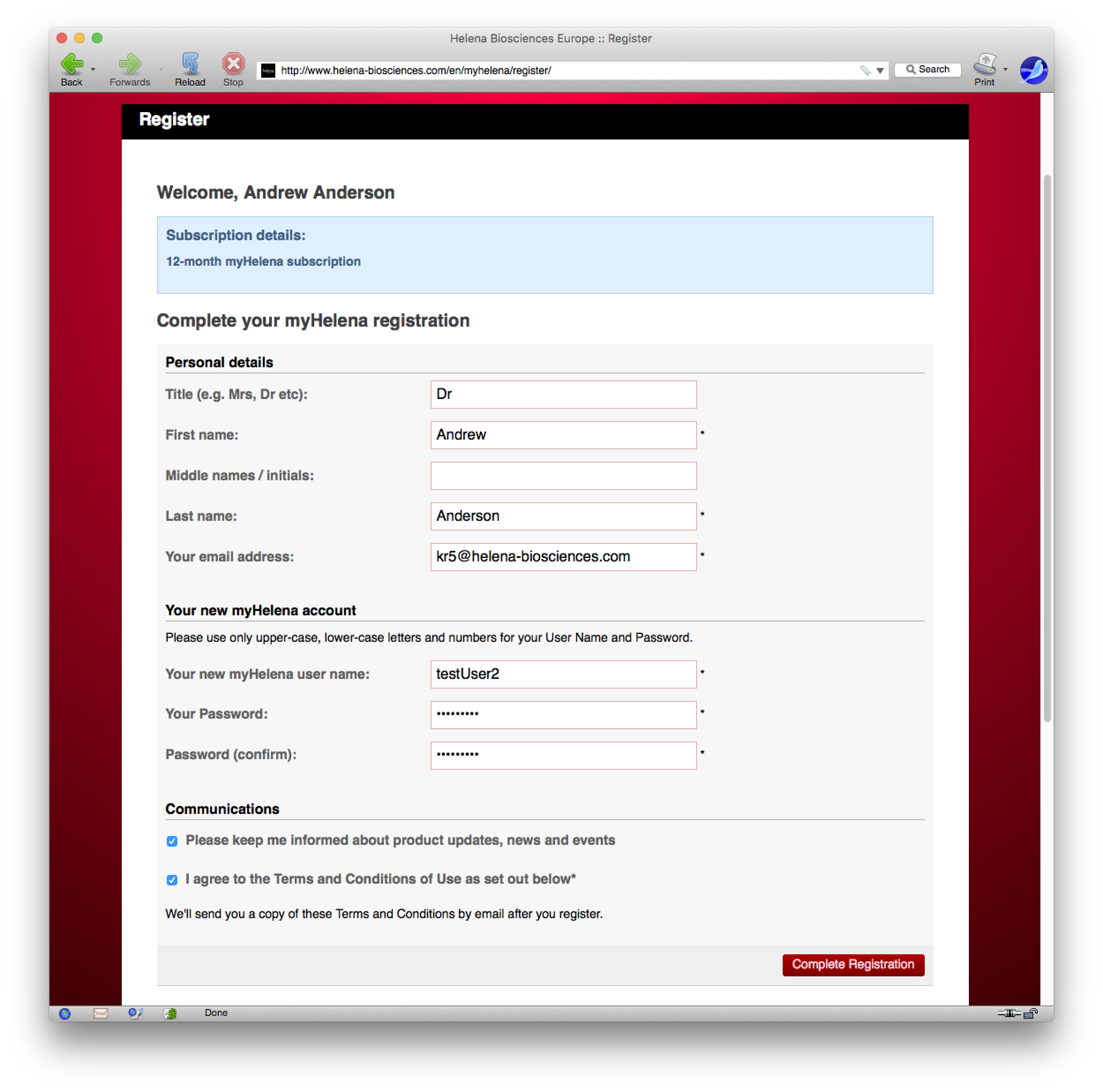
A blue box will indicate the kind of myHelena account you are about to create. Note that your account will typically expire after one year, and both you and your Helena representative will be notified well in advance so that the necessary renewal steps can be put in place.
The fields marked with asterisks (*) are mandatory and must be completed correctly before you can register. The other fields are optional.
Choose your User Name
Your new myHelena account User Name must be completely unique, and conform to certain requirements:
- Not less than 6 characters in length
- No more than 64 characters in length
- Contain only letters and/or numbers
Email address
Ensure that you provide a valid, active email address which you can routinely access — this address will be used by myHelena to notify you of important developments and it will be essential if you forget your password or sign-in details. Your email address must also not have been already used with another User’s myHelena account.
Terms and Conditions of Use
You must check this to indicate you agree with the myHelena Terms and Conditions.
Complete your registration
Check that you have properly filled in all of the required fields. You will be informed if there are any problems with the information you have entered.
Click Complete Registration to proceed. The following page should appear:
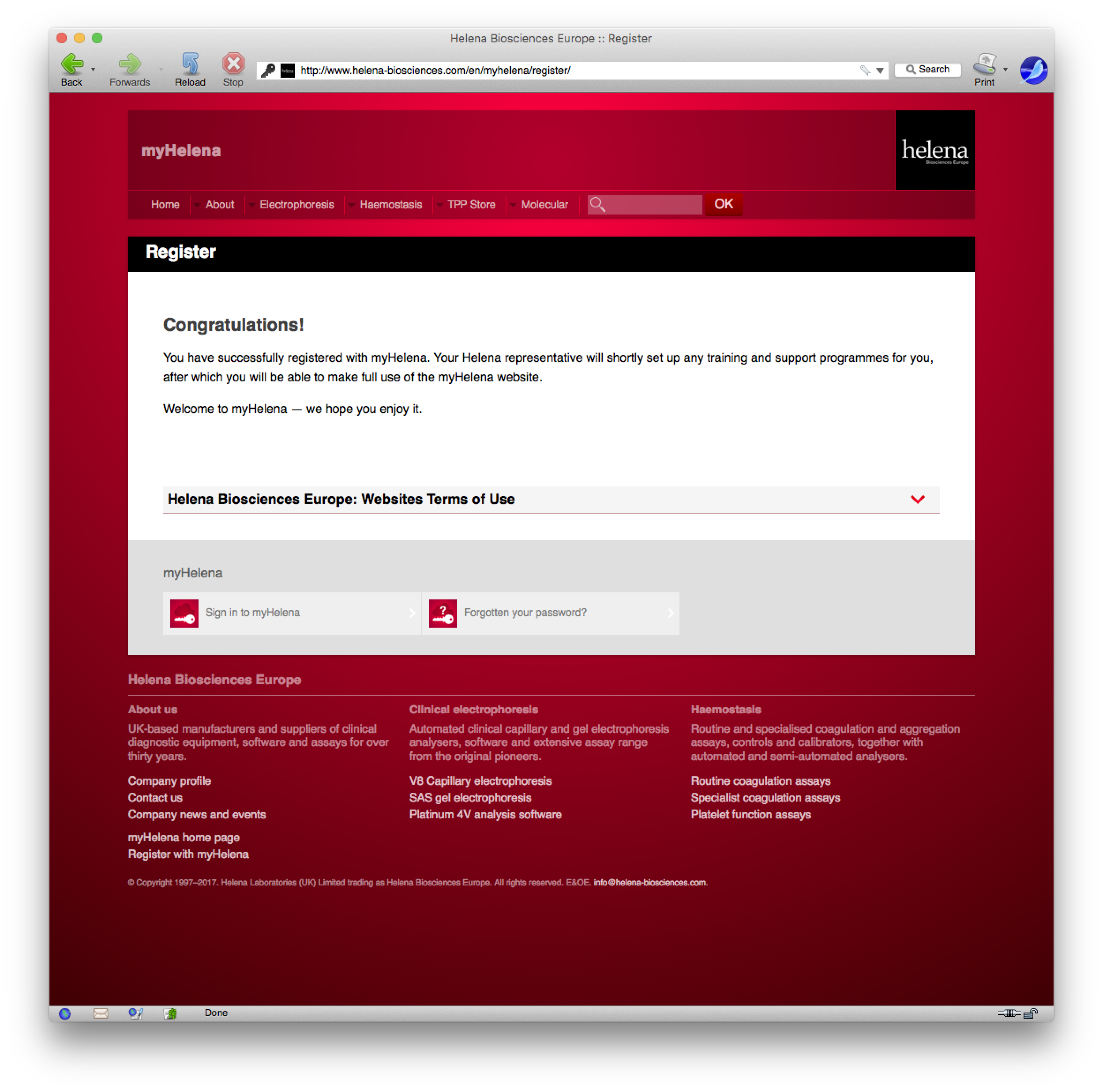
You can now visit www.myhelena.co.uk to sign in to your new myHelena account. If you have encountered problems, please contact your Helena representative who will be able to assist you.
 myHelena home page
  myHelena Account
  myHelena help


